
WARNING
⚠️ You are viewing this documentation on GitHub, which may be incomplete. The Web Version offers more comprehensive content and better formatting.
⚡️ Quick Jump
TIP
Complete the entire setup in just 4 steps and 5 minutes.
Get started now to enjoy the ultimate reading experience!
▶️ Download App =>➕ Import Sources =>🅿️ Source Setup =>⚙️ App Settings =>📖 Add Novels
Download App
⬇️ Download App
IMPORTANT
For Android Devices: Download Legado
For iOS/Apple Devices: Download QYSG (Qingyue Shiguang)
Click this link or use the buttons below to download and install the reading apps.


🚀 Import Sources
⏱️ Latest Releases

Source Setup
🅿️ Account Login
NOTE
For websites requiring accounts, you must log in within the source settings to read novels.
🅿️ Account Login => Me -> Sources Management -> Pixiv -> Login
Once the sources are successfully imported, tap its option menu, and you should see the following interface
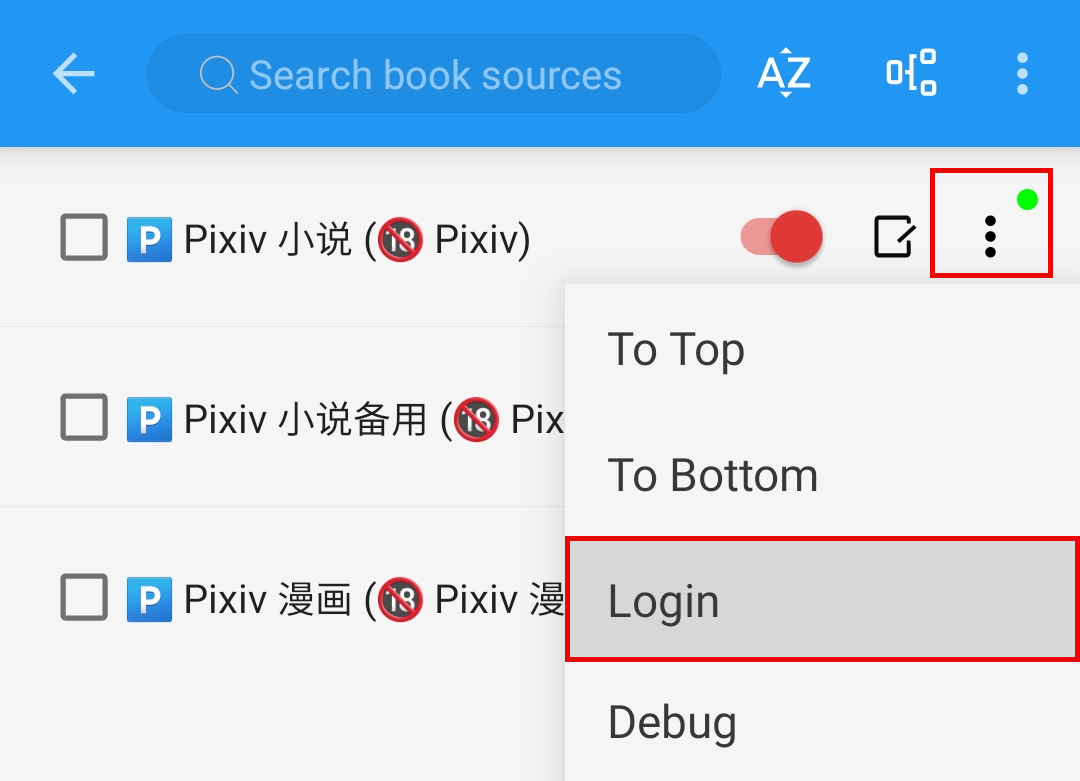
Click [Login] to open the embedded source login interface.
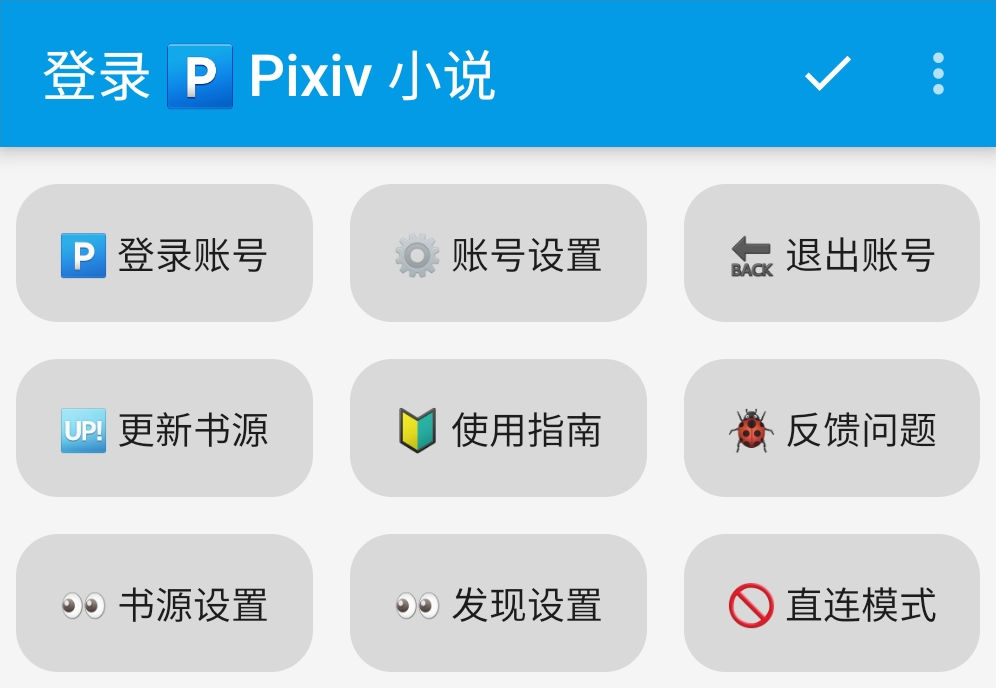
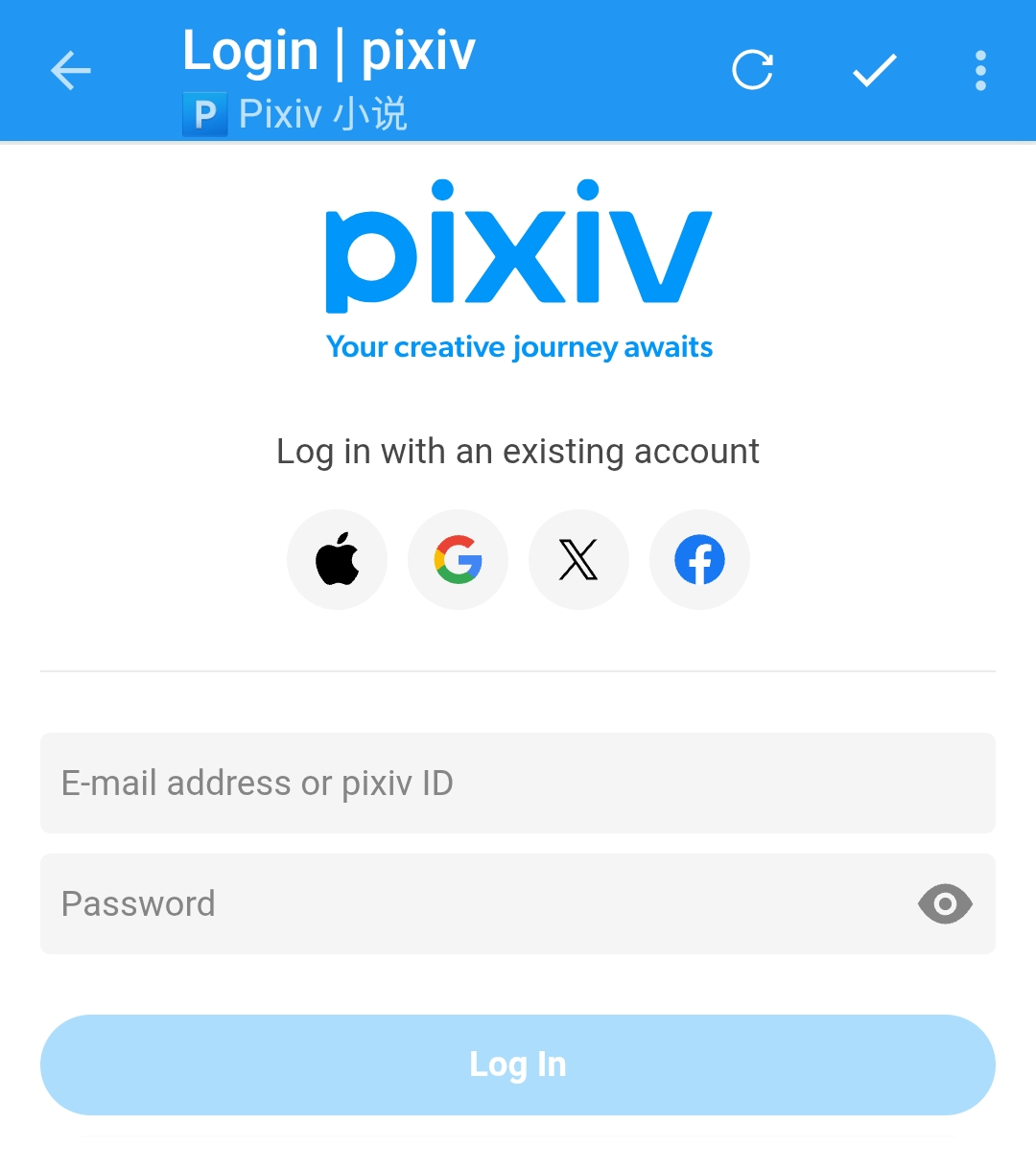
Click [🅿️ 登录账号], which will redirect you to the official Pixiv login page.
Enter your username and password here and login.
App Settings
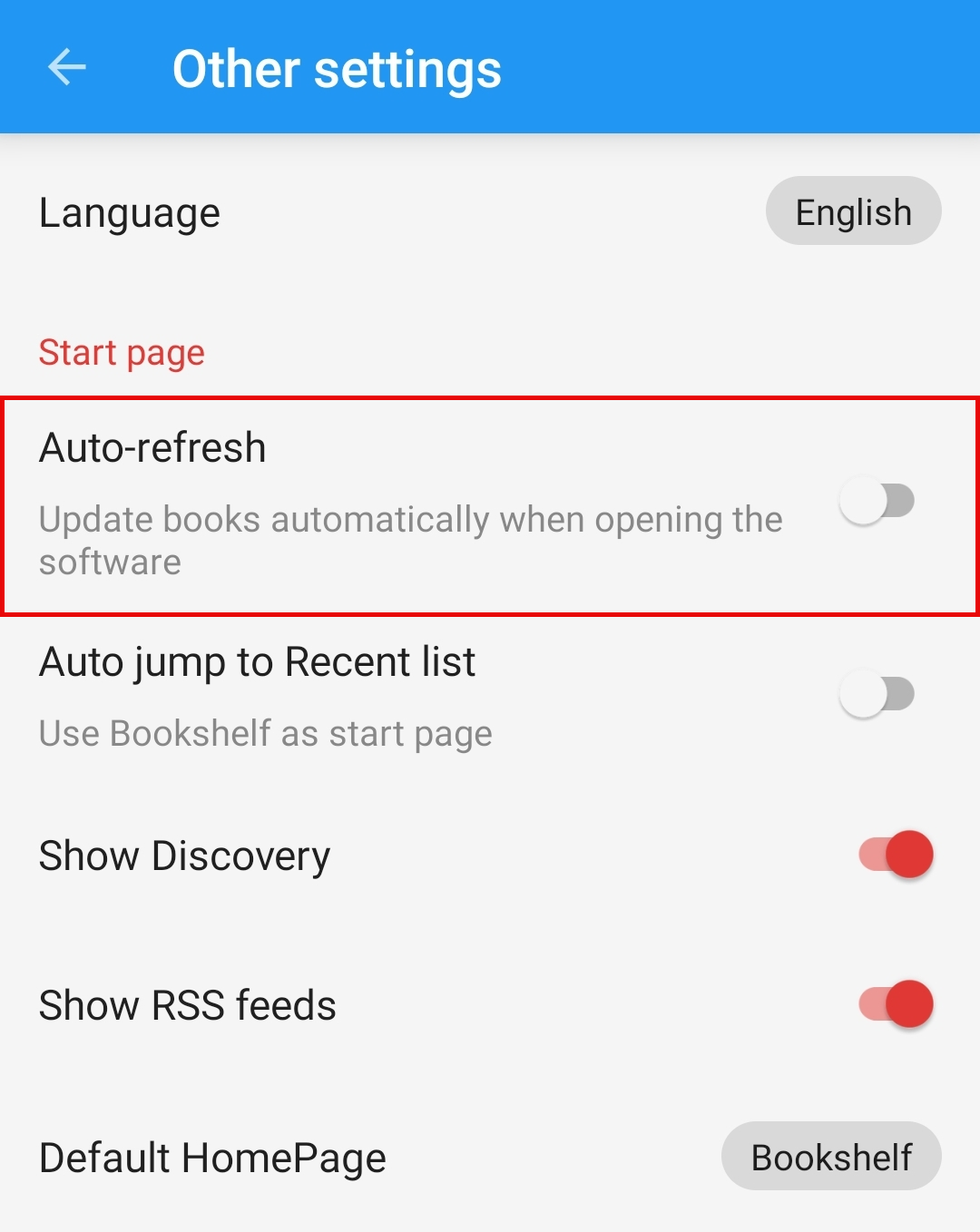
🔄 Disable Auto-Refresh
IMPORTANT
Please disable the Auto-Refresh feature in the settings.
Failing to do so may frequently trigger Pixiv's rate limits or even result in an account ban.
🔄 Disable Auto-Refresh => Mine -> Other Settings -> Auto-Refresh
NOTE
At this point, you have completed the core setup and are ready for a full reading experience!
You can now use Legado just like any reading application.
💾 Backup & Restore (Optional)
IMPORTANT
Legado is an open-source tool without a built-in cloud account system. Logging into source websites will not save or sync your personal data.
You need connect cloud drives support WebDAV to back up and sync your data. For details, see💾 Backup & Restore
☁️ Remote Books (Optional)
TIP
You can connect cloud drives that support WebDAV to read your cloud-hosted e-books directly within Legado. For details, see☁️ Remote Books
📖 Add Novels
🔍 Search Novels
NOTE
Bookshelf -> Search (Magnifier Icon) -> Type Keywords -> Search -> Add to Bookshelf
This will search both the Pixiv website and your local Bookshelf at the same time.
TIP
✅ All-in-One Search: It searches through Novel Titles, Series Titles, and Tags by default.
Open the Bookshelf page and tap the search button 🔍
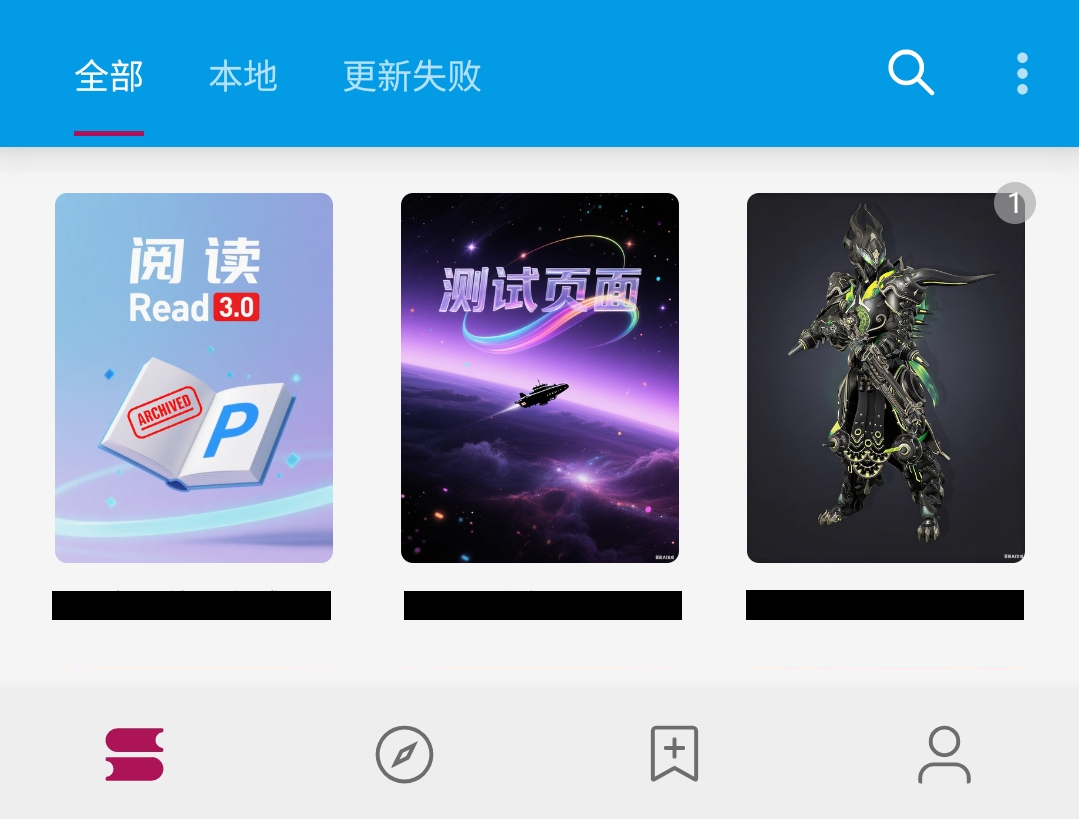
Type your keywords 测试页面 and press Enter to search.
测试页面
Tap on the search result to open the novel info page.
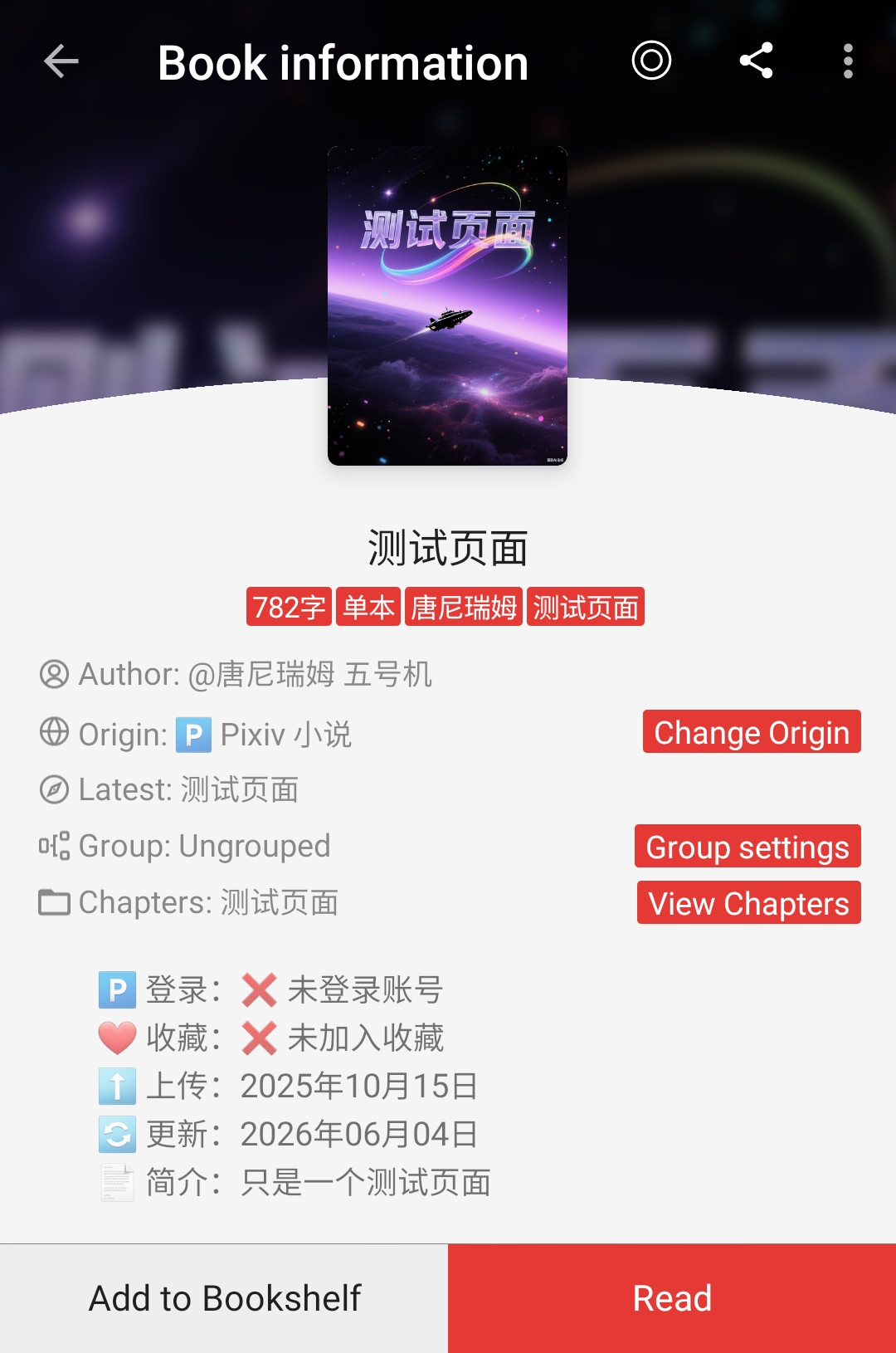
Tap [Add to Bookshelf] to add the novel to bookshelf.
⭐️ Discover Novels
NOTE
Discovery -> Tap "Pixiv Novels" -> Pick what you want -> Add to Bookshelf
TIP
Pixiv has many novel recommendation lists. You can find them all on the Discovery.
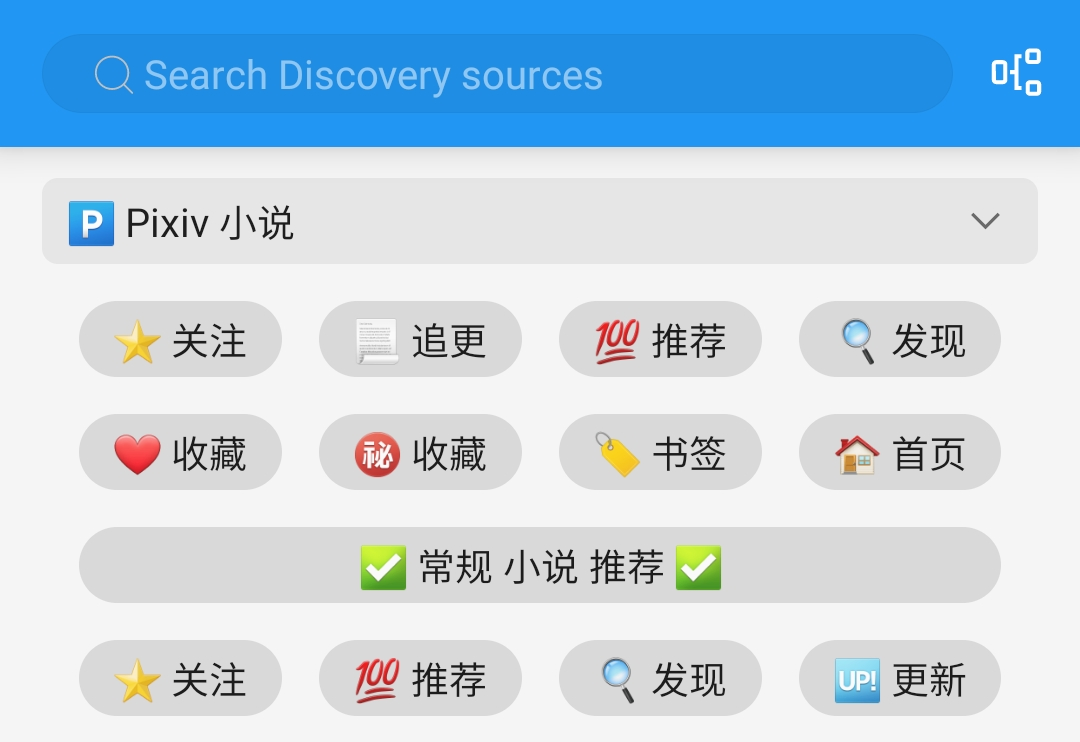
Open the Discovery and tap the button to browse.

Tap on any button to open the novel information.
Tap [Add to Bookshelf] to add the novel to bookshelf.
🔗 Add URL
NOTE
Bookshelf -> Menu -> Add URL -> Paste Novel Link -> Add to Bookshelf
TIP
When someone sends you a Pixiv link, you can quickly add it to your library using this method.
You can paste multiple links at once. Supported links:
- Pixiv Single Novel Links
- Pixiv Novel Series Links
- Pixiv Author Profiles Links (adds their latest novel)
https://www.pixiv.net/novel/show.php?id=26200191Copy the Pixiv link above, then open the menu in the top-right corner of the Bookshelf. 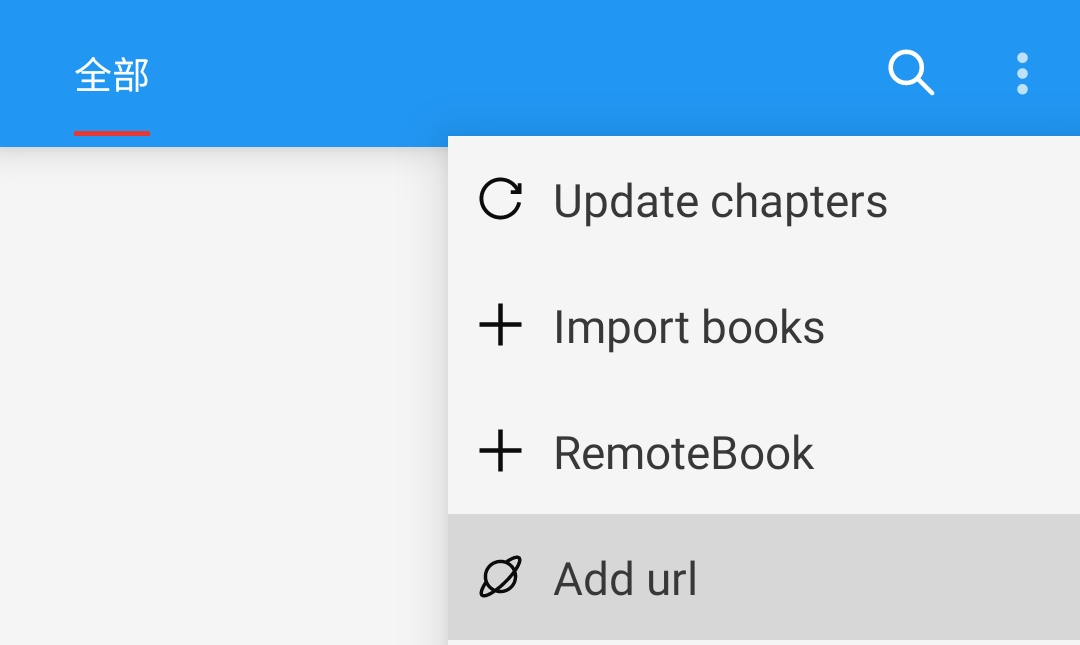
Paste the link and tap OK to add the novel to bookshelf.
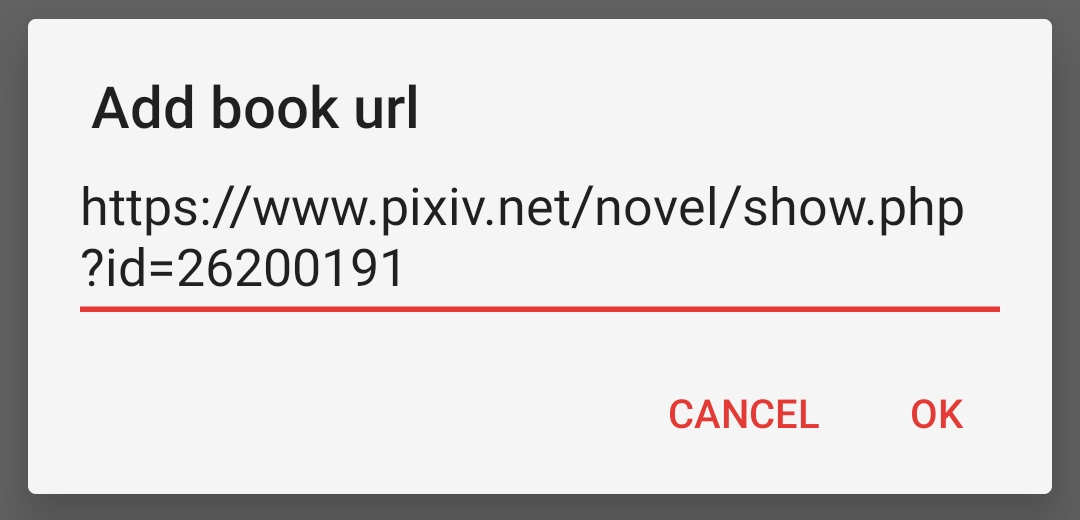

WARNING
Can't add the link?
Share links from the official Pixiv App usually have extra text, a# symbol.
Just delete the hashtag and everything before it to fix it:
测试页面 | 唐尼瑞姆 #pixiv https://www.pixiv.net/novel/show.php?id=26200191🌐 RSS Feed
NOTE
RSS Feed -> Pixiv -> Open Novel Content Webpage / Series Catalog Webpage -> Add to Bookshelf
TIP
If you like browsing the web, you can open the Pixiv website right here
and use the [加入书架] button to add novel to bookshelf directly.
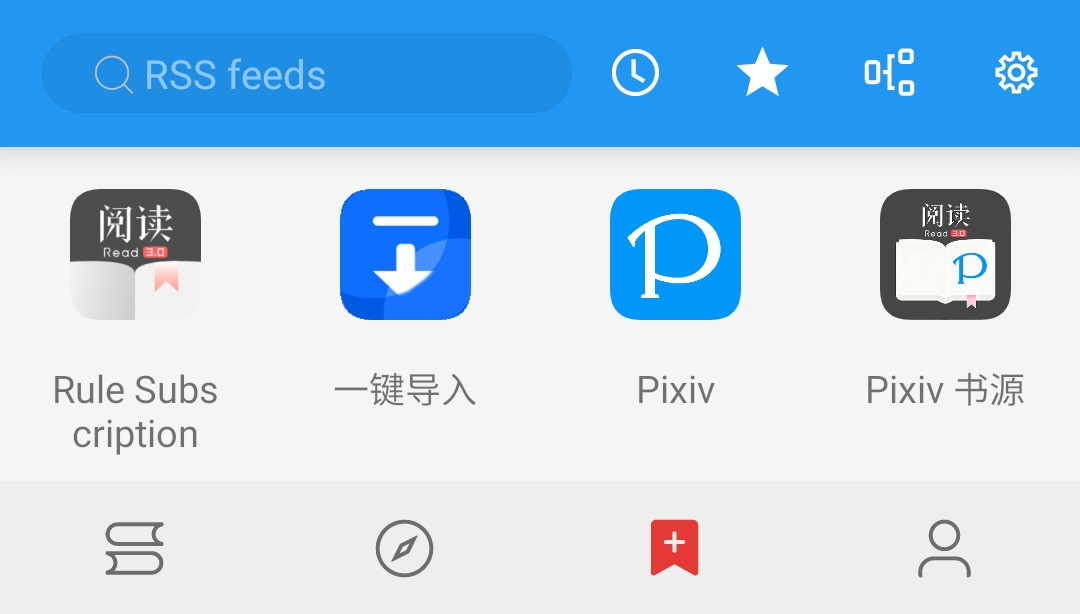
Open the RSS Feed and tap Pixiv to open the built-in Browser to visit Pixiv.

1️⃣ Go to any Novel Content Webpage or Series Catalog Webpage.
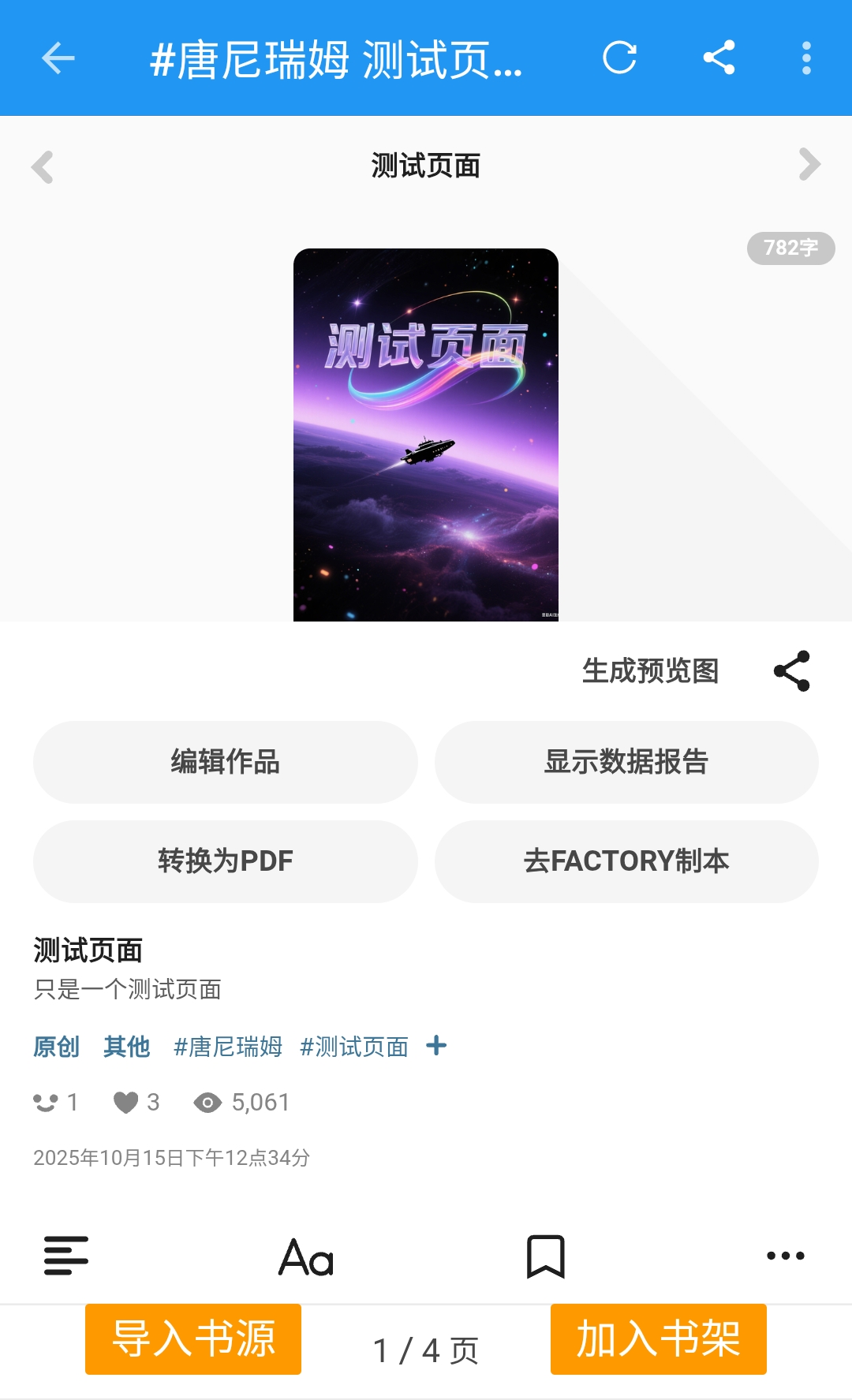
2️⃣ Tap the floating [加入书架] button to bring up the details window.
Tap [Add to Bookshelf] to add novel to bookshelf.
🐞 Troubleshoot
NOTE
Check out the Guide Troubleshoot first!
If that doesn't fix it, feel free to open an issue on our GitHub Repository.
🍖 Sponsor

If this helped, consider buying this dragon a coffee!
Your support keeps the updates and fixes flying in~
· Your name on the public Thanks list
· Access to the exclusive feedback, testing group
· Supporting upstream developers of the project
· Unlock behind-the-scenes content
· Voting power on upcoming features
IMPORTANT
Feel free to leave your nickname and mention "PixivSource" in the message, so I can add you to the thanks list! For details, see Sponsor Details
TIP
If you are not planning to donate now, you can support by ⭐️ starring the GitHub repository