WARNING
⚠️ You are viewing this document on GitHub. The GitHub version might be incomplete. The Web Version has more details and better formatting.
TIP
Simple Troubleshooting Guide for Legado
NOTE
Please check the following before sending feedback:
- Legado branch/type (e.g., Sigma, Beta, MD3, etc.)
- Legado app version (e.g., 3.26.0101)
- Book source version (e.g., 251)
- Whether the app version supports the current book source
- If it is an app issue, please report it to the Legado GitHub repository. Find the link here: Download Legado
- If it is a book source issue, please submit an issue to the PixivSource GitHub Repository and attach your debug results. See "Debug Book Source" below.
Debug Book Source
🐞 Debug Mode (Optional)
IMPORTANT
⏺️ Interactive Menu => Bookshelf - Reading Screen - Pixiv Novel - Login => Debug Mode
⚙️ BookSource Settings => Mine - Source Management - Pixiv Novel - Login => Debug Mode
Turning on Debug Mode (Optional) helps analyze the current issue.
🐞 Debug Book Source
Mine - Source Management - Edit Source - Debug - Enter Content
| Debug Area | What to Enter |
|---|---|
| Search | Enter keywords |
| Discover | ::https://www.pixiv.net/ajax/top/novel |
| Details | https://www.pixiv.net/novel/show.php?id=123 |
| Content List | ++https://www.pixiv.net/novel/show.php?id=123 |
| Text Content | --https://www.pixiv.net/novel/show.php?id=123 |
- It is best to attach the debug info when submitting an error.
Fix Issues
🖼 Images Shown as Links
- Disable Replacement
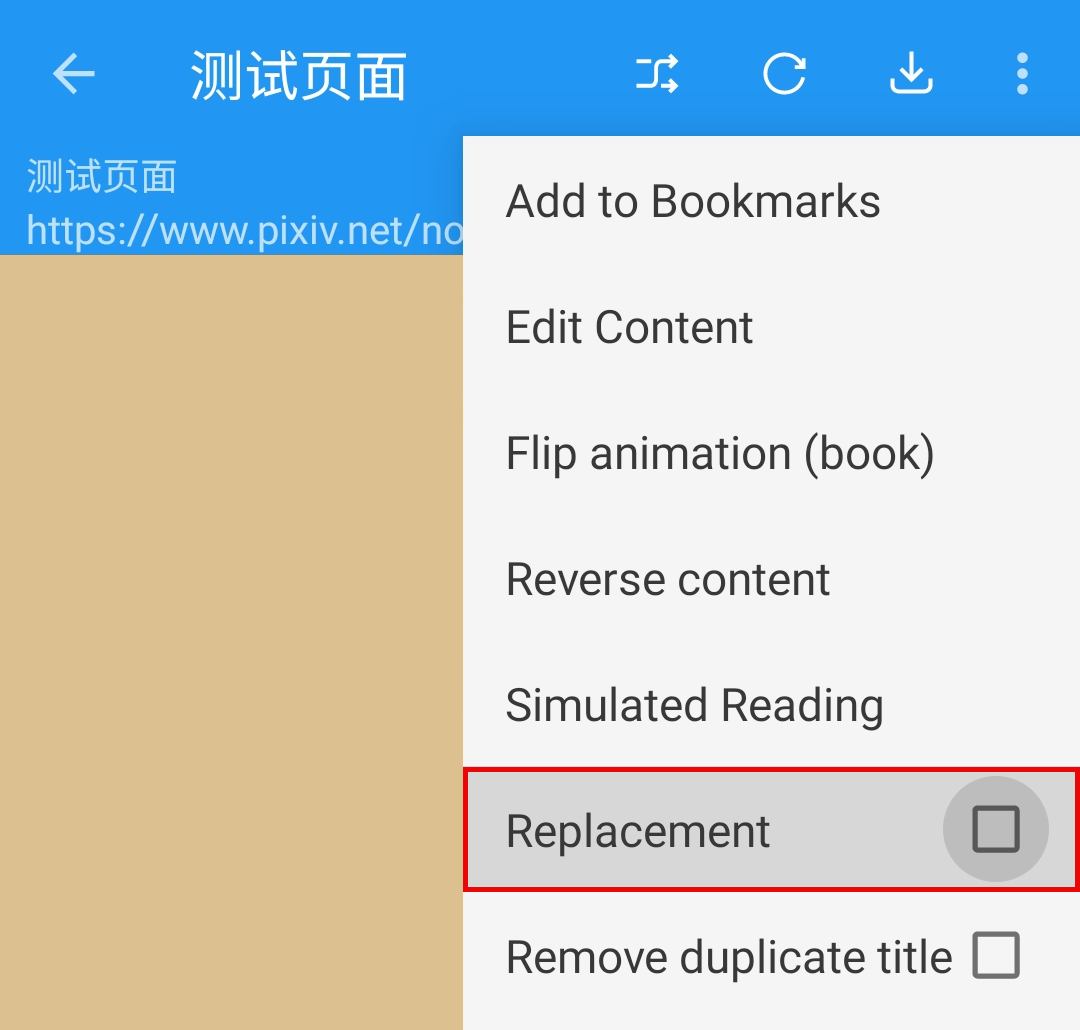
- Refresh the content.
Find Issues
🈚️ No Results in Search or Discover
- Debug Book Source
- Check your network connection
- Is your network working? Try a different network.
- Check and update the Legado app
- Update the app
- Try a different version of the app.
- Check and update the book source
- Is the book source imported?
- Is the book source enabled?
- Update the book source
- Check if the website works
- Can you open the website used by the booksource?
- Is the website working normally?
- Log into the website inside Legado and try again.
- Report the issue to the developer